

Most growing businesses add cloud tools for practical reasons.
A team needs a scheduling app. A department wants a better way to track work. Someone signs up for a trial to solve a client request quickly. None of this usually starts with bad intent.
The problem appears later, when the business has too many applications, too many logins, unclear ownership, duplicate subscriptions, scattered data, and weak visibility into who can access what. That is often called SaaS sprawl or shadow IT. In plain terms, the technology environment has grown faster than the operating discipline around it.
For business owners, the goal is not to block every new tool. Useful software can improve productivity. The goal is to make sure cloud apps are chosen, supported, secured, documented, and reviewed in a way the business can trust.
Red Shield IT approaches this as a practical managed IT and cybersecurity issue. Cloud tools need enough freedom to help the team work, but enough structure that access, data, cost, and support do not drift out of control.
▸ Why SaaS Sprawl Happens in Growing Businesses

SaaS sprawl usually happens because the business is moving.
New people join. Teams try new processes. Vendors recommend platforms. Staff search for faster ways to communicate, collaborate, manage projects, collect signatures, schedule appointments, or share files. Cloud apps make those decisions easy because many tools can be started with a credit card and a browser.
That convenience is part of the appeal, but it can hide ownership gaps. A tool may be useful to one team but invisible to leadership. A former employee may have been the only administrator. A subscription may renew every year even though nobody knows whether it is still needed. Sensitive files may be stored outside the company’s standard environment.
The first step is recognizing that sprawl is usually an operating problem, not a personality problem. People choose tools because they are trying to get work done. The business needs a better way to bring those choices into view.
▸ The Real Risk Is Unclear Ownership
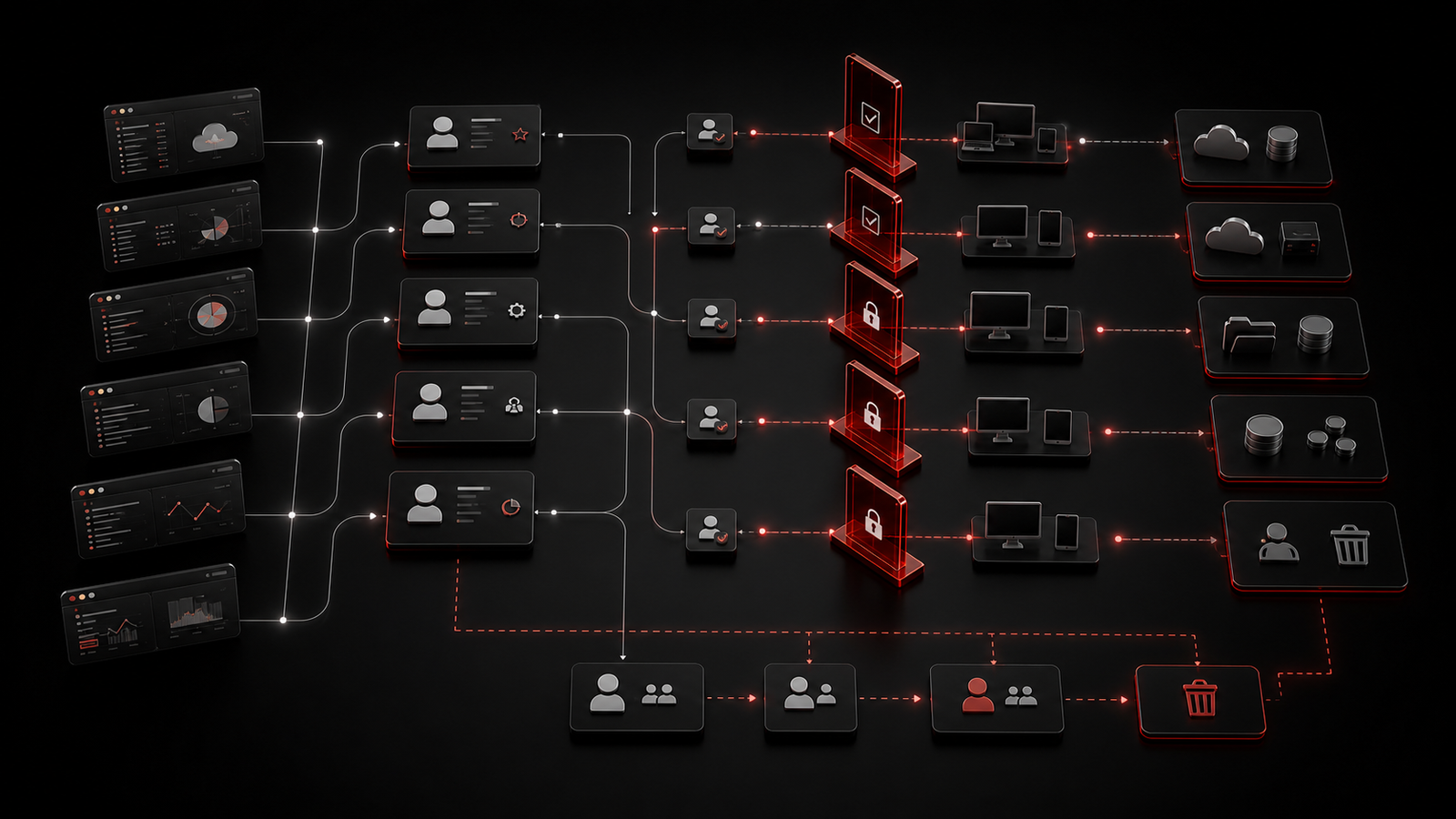
The biggest concern with cloud app sprawl is not simply the number of tools.
The bigger issue is unclear ownership.
Every business application should have a known purpose, owner, access model, support path, renewal status, and data expectation. Without that clarity, small risks can pile up quietly. Accounts may remain active after someone leaves. Admin rights may be broader than necessary. Client or business data may sit in tools that are not being reviewed. Integrations may connect one platform to another without anyone understanding the impact.
Unclear ownership also affects support. When staff cannot access a tool, when an app stops working, or when a vendor requests a change, the business needs to know who can make decisions. Otherwise, support becomes guesswork.
Good governance starts by asking simple questions: who owns this tool, who uses it, what data lives there, how is access granted, how is access removed, and what happens if the tool becomes unavailable?
▸ How to Build a Practical Application Inventory
An application inventory does not need to be complicated at the start.
Begin with a clean list of the tools the business actually uses. Include Microsoft 365, line-of-business applications, accounting tools, CRM systems, password tools, scheduling systems, file-sharing platforms, communication apps, remote access tools, vendor portals, and any cloud services used by specific departments.
For each application, capture the basics: business owner, administrator, user group, data type, billing owner, MFA status, renewal date, and whether the tool is still needed.
This inventory gives leadership a better operating picture. It can reveal duplicate spend, unsupported systems, forgotten trials, former-user exposure, and applications that should be brought into a more formal support model.
The value is not the spreadsheet itself. The value is visibility.
▸ Approvals Should Help the Business, Not Slow It Down

Many owners worry that governance will create delay.
That can happen if the process is too heavy. But a practical approval rhythm should make software decisions easier, not harder. Staff should know how to request a new tool, what information is needed, who reviews it, and how quickly a decision can be made.
A business-minded review should answer the essentials: what problem the tool solves, who needs it, what data it touches, whether MFA is available, how access is removed, how it integrates, who pays for it, and who supports it.
Good governance should feel like better decision-making, not unnecessary friction.
▸ Microsoft 365 Needs to Be Part of the Governance Picture
For many small and growing businesses, Microsoft 365 is the core environment for email, identity, files, collaboration, and user access.
That makes it an important part of SaaS governance. If users already authenticate through Microsoft 365, the business may be able to improve access control, MFA expectations, user lifecycle management, shared file structure, and administrative oversight through the same environment.
The question is not whether every tool must live inside Microsoft 365. Some specialized applications will still be needed. The question is whether the business understands where Microsoft 365 should be the standard and where outside tools are justified.
This is especially important for file sharing and communication. If staff use multiple unsanctioned platforms, sensitive information may spread across systems that are harder to support or review. If Microsoft 365 groups, SharePoint sites, OneDrive permissions, and Teams structures are unmanaged, even the primary platform can become messy.
Cloud governance should therefore include both outside SaaS tools and the company’s main productivity environment.
▸ Review Apps Before Renewals and Role Changes
SaaS sprawl is easier to manage when review becomes a routine.
Renewal dates are a useful checkpoint. Before an application renews, confirm whether it is still needed, who uses it, whether the license count is accurate, and whether a better-supported option exists.
Role changes are another important moment. When someone joins, changes departments, or leaves the company, application access should be reviewed with the same care as email and device access. A former employee’s Microsoft 365 account might be disabled, but they could still have access to separate cloud tools if those tools are not tracked.
Regular reviews also help with security. Admin rights, shared accounts, old integrations, weak MFA settings, and unused applications are easier to catch when the business has a cadence. A quarterly or semi-annual application check can make a meaningful difference for many growing businesses.
▸ How Red Shield IT Helps Bring Cloud Tools Under Control
Red Shield IT helps businesses turn scattered cloud usage into a more manageable operating environment.
That can include reviewing current applications, documenting ownership, improving Microsoft 365 administration, checking user lifecycle practices, identifying access gaps, and helping leadership decide which tools should be supported, replaced, retired, or reviewed more closely.
The work is practical. It is not about banning useful technology. It is about giving owners clearer visibility and giving staff a safer, more consistent way to use the tools they rely on.
When applications, identities, devices, files, and support processes are managed together, technology becomes easier to trust.
▸ Final Thoughts
SaaS sprawl is a normal side effect of growth, but it should not be ignored.
Every cloud app creates questions around access, ownership, data, cost, support, and continuity. If those questions are left unanswered, the business can end up with more risk and less control than leadership realizes.
Start with visibility. Build an application inventory. Clarify ownership. Review access. Connect Microsoft 365 decisions to the broader cloud environment. Create a simple approval path. Check renewals before they roll forward. Remove tools that no longer support the business.
Done well, cloud governance feels calm and useful. Staff still get the tools they need, owners gain better control, and support becomes more consistent.