

Most businesses do not think about IT documentation until something breaks, someone leaves, a vendor changes, or an urgent decision has to be made quickly.
That is exactly why documentation matters.
Good IT documentation is not just a technical binder. It is a business asset. It helps owners understand what they have, who is responsible for it, how key systems connect, and what should happen when support is needed. For growing companies, that clarity can be the difference between calm troubleshooting and a long chain of guesswork.
The goal is not to document every tiny detail for its own sake. The goal is to create enough structure that support becomes repeatable, access becomes easier to manage, and change does not depend entirely on memory.
▸ Documentation Is an Operating Standard
IT documentation should be treated as part of how the business operates, not as an optional project that happens only after a problem.
A company may have reliable people, good software, and modern cloud tools, but if no one can quickly answer basic questions about systems, access, vendors, devices, backups, or support processes, the environment still has unnecessary friction.
Business owners do not need to become technical experts. They do need confidence that important information is captured somewhere useful. If a firewall needs replacement, someone should know the model, provider, warranty status, management access, and business impact. If a user leaves, someone should know which accounts, devices, groups, mailboxes, and applications need to be reviewed.
Documentation gives the support team a shared reference point. It also gives leadership more confidence that the technology environment is being managed intentionally instead of being held together by scattered notes and individual memory.
That is what makes documentation an operating standard. It supports better decisions every week, not just during emergencies.
▸ Start With the Systems That Matter Most
The best starting point is not a massive documentation exercise. It is a practical list of the systems the business depends on most.
That usually includes Microsoft 365, email, file storage, line-of-business applications, accounting systems, remote access tools, network equipment, internet services, endpoint protection, backup platforms, and key vendor portals. For each one, the business should understand who owns it internally, who supports it externally, how access is managed, and what the system affects if it is unavailable.
This kind of inventory creates immediate value. It helps support teams troubleshoot faster because they are not discovering the environment from scratch during every issue. It helps owners see where the business may have too much reliance on one person, one vendor contact, or one undocumented account. It also helps planning because renewals, hardware age, licensing, and security priorities become easier to see.
Documentation does not have to be beautiful to be useful. A clean, maintained record that people actually use is better than a perfect template that no one updates.
The key is ownership. Every important system should have a clear business owner, support contact, access path, and review cadence.
▸ User and Access Records Reduce Guesswork
User access is one of the fastest areas to become messy as a business grows.
New employees join. Roles change. Contractors help with projects. Vendors receive temporary access. Shared mailboxes are created. Teams and folders expand. Over time, permissions can become broader than intended if no one keeps track of the reason behind them.
A useful documentation standard should capture user lifecycle steps, common role-based access, administrator accounts, shared mailboxes, distribution groups, guest users, and critical application permissions. This does not need to be overly complex, but it should be clear enough that onboarding and offboarding do not depend on whoever remembers last time.
When access records are weak, businesses can lose time during staff changes and create avoidable risk. Former users may remain active longer than they should. New users may receive inconsistent permissions. Managers may not know who can access sensitive files.
When access records are stronger, the process becomes calmer. The business can add users more consistently, remove access more confidently, and review sensitive permissions with less confusion.
▸ Support Runbooks Make Service More Consistent
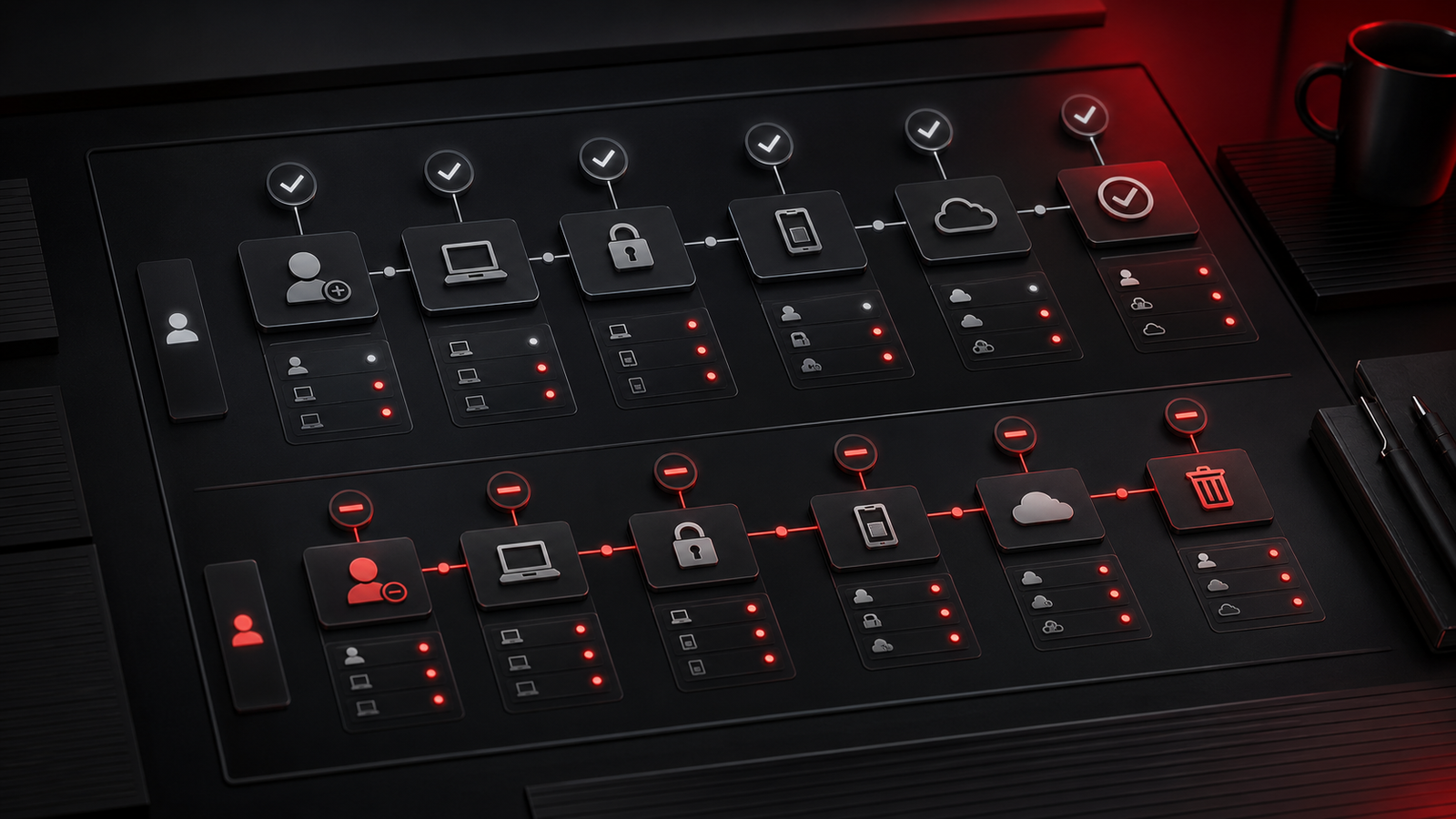
A runbook is a simple guide for how a recurring support task should be handled.
It might explain how to onboard a new laptop, set up a user, escalate an internet outage, check a backup alert, update a line-of-business application, replace a printer, or contact a software vendor. The value is not in making support rigid. The value is in making important work repeatable.
Without runbooks, the quality of support can depend too much on which person handles the request. One technician may know the application shortcut. Another may know the vendor contact. Someone else may remember the firewall setting. That knowledge is useful, but it should not live only in individual heads.
Runbooks help support teams move faster because known steps are already captured. They also help new support staff get up to speed without repeatedly interrupting the same people for background information.
For small and growing businesses, this can make managed IT support feel more dependable. The business is not just buying reactive help. It is building an operating model where common tasks are handled with structure, communication, and follow-through.
▸ Documentation Protects Continuity During Change

Change is where weak documentation shows itself.
A staff member leaves. A vendor relationship ends. A cloud migration begins. A device fails. A new office opens. A cyber insurance questionnaire arrives. A software renewal comes due. A disruption affects email or internet access. In each case, leadership needs clear information quickly.
If records are scattered across inboxes, old spreadsheets, browser bookmarks, and memory, the business has to reconstruct the environment under pressure. That slows decisions and makes support harder.
Good documentation reduces that pressure. It gives the support partner and leadership team a shared view of what exists, what matters most, and what steps should happen next.
This is also important for business continuity. Backups and recovery tools matter, but so do account records, vendor contacts, system dependencies, device lists, licensing details, network diagrams, and communication plans. Recovery is much easier when the business knows what has to be restored, who can approve decisions, and where critical information lives.
Documentation does not prevent every disruption. It makes the response cleaner when disruption happens.
▸ Keep It Useful, Current, and Owned
The most common documentation mistake is creating records once and never maintaining them.
Useful documentation needs an owner, a simple update process, and a realistic review schedule. That might mean updating records during onboarding, after vendor changes, after network work, after Microsoft 365 changes, after device replacements, and during regular service reviews.
The standard should be practical: enough detail to support decisions without turning every update into a burden.
Businesses should also decide where documentation lives. It should be secure, backed up, access-controlled, and available to the people who need it. Sensitive passwords and recovery codes need stronger handling than ordinary process notes, but both should be part of a thoughtful documentation model.
Red Shield IT approaches documentation as part of operational maturity. The aim is to help businesses reduce avoidable friction, make support more consistent, and create clarity around the systems they rely on every day.
▸ Final Thoughts
IT documentation is not glamorous, but it is one of the strongest signs that a business is becoming more mature with technology.
Start with the systems that matter most. Document owners, vendors, access, devices, support steps, and recovery dependencies. Build simple runbooks for recurring tasks. Keep records current when people, systems, and vendors change.
Over time, those small habits create a more stable environment. Support becomes faster. Decisions become easier. Staff transitions become cleaner. Disruptions become less confusing.
A growing business does not need perfect documentation. It needs useful documentation that is maintained, trusted, and connected to how support actually happens.